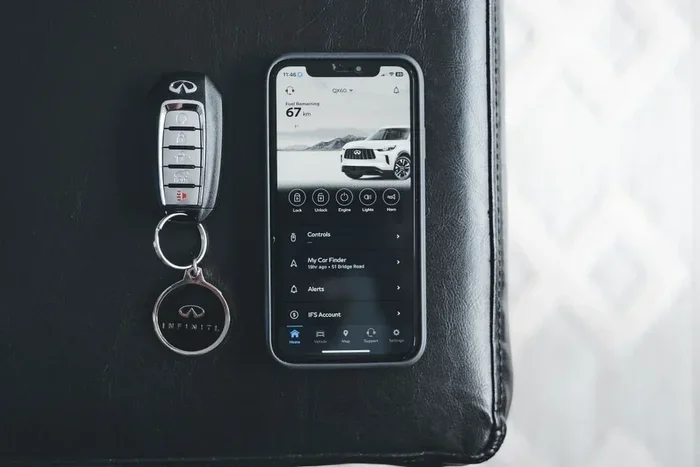
Remotely Open the Windows of Sentra Using Intelligent Key
You can remotely open the windows of Sentra using the Intelligent Key system with a simple button sequence. This feature lets you ventilate your car before you get in, making hot days more comfortable. The process works on most Sentra models equipped with the Intelligent Key and power windows. Knowing the exact steps saves time and enhances your daily driving experience. Below is a complete guide with tips and troubleshooting advice.
Have you ever walked up to your Nissan Sentra on a scorching summer day and wished you could cool it down before sitting inside? The good news is that you can remotely open the windows of Sentra using the Intelligent Key system. This handy feature lets you ventilate your car without touching the door handle. It is one of those small convenience features that makes a big difference in daily driving.
The Intelligent Key system on the Sentra does more than just unlock doors and start the engine. It also gives you control over the power windows from a distance. Whether you want to let fresh air in or release trapped heat, the process is quick and easy. In this guide, we will walk you through every step. You will also learn troubleshooting tips, safety reminders, and expert tricks to get the most out of this feature.
Key Takeaways
- Remote window control is possible: The Intelligent Key system on the Sentra allows you to open and close windows from a distance.
- Simple button sequence: You just need to press and hold specific buttons on the key fob in a set order.
- Works on most Sentra models: This feature is available on Sentra trims that include the Intelligent Key system and power windows.
- Great for climate control: Opening windows remotely helps pre-cool or ventilate the cabin before you enter.
- Troubleshooting is straightforward: Most issues relate to battery power, range, or vehicle settings.
- Safety matters: Always check that no objects or pets are near the windows before using the remote feature.
📑 Table of Contents
How the Intelligent Key Window Control Works
The Intelligent Key system uses a wireless signal to communicate with your Sentra. When you press the right buttons in the correct order, the vehicle responds by operating the windows. This is part of the remote control functions built into the key fob. The system relies on the keyless entry technology that Nissan has refined over the years.
Understanding the Remote Window Feature
The remote window feature is designed for convenience. It is not just about opening windows. You can also close them remotely. The system works within a certain range of the vehicle, typically around 30 to 50 feet. This range depends on your specific Sentra model and the condition of the key fob battery. The feature is part of the broader Nissan Intelligent Key ecosystem that includes remote start, door lock, and trunk release functions.
Which Sentra Models Support Remote Window Control
Not all Sentra models have the same features. The remote window control function is available on Sentra trims that include the Intelligent Key system as a standard or optional feature. Here is a quick breakdown:
- Sentra S: May include Intelligent Key on higher trim levels.
- Sentra SV: Typically includes Intelligent Key and power windows.
- Sentra SR: Usually comes with full Intelligent Key functionality.
- Sentra SL: Includes all remote control features, including window operation.
If you are unsure whether your Sentra has this feature, check the owner’s manual or look for the Intelligent Key symbol on the key fob. You can also visit a Nissan dealership for confirmation. The window auto-up/down function must also be active for remote control to work properly.
Step-by-Step Guide to Opening Windows Remotely
Follow these steps carefully to open your Sentra windows using the Intelligent Key. The process is the same for most model years, including the 2013 through 2024 Sentra models.
Step 1: Prepare Your Vehicle
Before you begin, make sure your Sentra is parked and all doors are closed. The vehicle must be in a locked state. You should also be within the operational range of the key fob. Stand near the car so the signal reaches the proximity sensor on the vehicle. This ensures a strong wireless connection between the fob and the car.
Step 2: Locate the Window Control Button on the Key Fob
On the Intelligent Key fob, find the power window controls. These are usually small buttons on the front or side of the fob. One button typically controls all windows at once, while others may control individual windows. The universal window button is the one you will use for this process.
Step 3: Press and Hold the Lock Button
Press and hold the lock button on the key fob. Do not release it yet. This puts the vehicle into a locked state and prepares it to receive the window command. Keep holding the lock button throughout the next steps.
Step 4: Press and Hold the Window Open Button
While still holding the lock button, press and hold the window open button on the fob. Hold both buttons together for about three to five seconds. You should hear a click or see the windows begin to roll down. Release both buttons once the windows are fully open.
Step 5: Verify the Windows Are Open
Walk over to the vehicle and check that all windows are fully open. If they are not, repeat the process. Sometimes the window auto-up/down system needs a reset if it does not respond the first time. Always make sure the windows are completely open before walking away from the car.
How to Close Windows Remotely
Closing the windows remotely follows a very similar process. The steps are almost the same, but you use the window close button instead.
- Press and hold the lock button on the key fob.
- While holding the lock button, press and hold the window close button.
- Hold both buttons for three to five seconds until the windows roll up.
- Release both buttons once the windows are fully closed.
This method works for all power windows on the Sentra. It is a great way to secure your vehicle quickly if you realize you left a window down. The remote climate control benefit is also worth noting. If you close the windows remotely, you can later turn on the air conditioning and come back to a cool cabin.
Tips for Getting the Most Out of Remote Window Control
The remote window feature is more useful than most people realize. Here are some practical ways to make the most of it.
Pre-Cool Your Car on Hot Days
On a hot summer morning, open the windows remotely before you start the engine. This lets the hot air escape from the cabin. Once you get in, you can immediately turn on the air conditioning. The climate pre-cooling effect makes the interior much more comfortable within minutes. This simple habit can reduce the workload on your AC system and improve fuel efficiency.
Ventilate After Rain
If you park outside and it rains unexpectedly, open the windows remotely once the rain stops. This helps dry out the interior and prevents musty odors. It is especially useful if you park in a covered area where humidity can build up. Fresh air circulation keeps the cabin smelling clean and fresh.
Use It for Pet Safety
If you travel with pets, remotely opening the windows can help them cool down after a long drive. Always check that your pet is safe and secure before using this feature. Never leave pets unattended in the vehicle, even with windows open.
Combine with Remote Start
If your Sentra has the remote start feature, you can combine it with remote window control. Start the engine remotely, then open the windows to let the air circulate. This creates a comfortable environment before you even step into the car. The combination of remote start and remote window control is one of the best comfort features of the Intelligent Key system.
Common Mistakes to Avoid
Even though the process is simple, some common mistakes can cause frustration. Here are errors to watch out for:
- Releasing the lock button too early: This breaks the sequence, and the windows will not respond. Hold both buttons down until the windows move.
- Being too far from the vehicle: The key fob signal has a limited range. Stand within 30 to 50 feet for the best results.
- Ignoring the window auto-up/down reset: If the windows do not respond, the auto-up/down system may need recalibration. Consult the owner’s manual for reset instructions.
- Forgetting to check the key fob battery: A weak battery reduces the range and reliability of all remote functions, including window control.
- Not checking for obstructions: Always look at the windows before using the remote feature. Objects near the window tracks can cause damage.
Troubleshooting Common Issues
If the remote window feature does not work, do not worry. Most problems have simple solutions. Here is what to check.
When Windows Do Not Respond
First, check that the vehicle is fully locked. The remote window command only works when the car is in a locked state. Next, make sure you are holding both buttons for long enough. Three to five seconds is the standard hold time. If the windows still do not move, try repeating the sequence from the beginning.
Battery and Range Problems
A weak key fob battery is the most common cause of remote function failure. Replace the battery with a new CR2032 or CR2025 battery, depending on your fob model. You can find the correct battery type in the owner’s manual. After replacing the battery, test the range by standing closer to the vehicle and trying again.
Window System Reset
Sometimes the power window system needs a reset. To do this, turn the ignition to the ON position, then roll each window all the way down and all the way up. This recalibrates the window auto-up/down sensors. After the reset, try the remote window control again.
Expert Insights on Sentra Window Control
Nissan engineers designed the Intelligent Key system with driver convenience in mind. The remote window feature is just one part of a broader vehicle personalization system. Many Sentra owners do not realize they can also control the sunroof (if equipped) and mirror adjustments through similar button sequences on the key fob.
According to Nissan service advisors, keeping the key fob battery fresh and the vehicle software updated ensures the best performance from all remote functions. Some newer Sentra models may also support NissanConnect app-based controls, which offer even more flexibility for managing window operations from your smartphone.
Experts also recommend pairing the remote window feature with a window tint or sunshade. This combination keeps the interior cooler when the windows are closed and provides extra protection from UV rays. Together, these features create a more comfortable and protected driving environment.
Key Takeaways
- Remote window control is possible: The Intelligent Key system on the Sentra allows you to open and close windows from a distance.
- Simple button sequence: You just need to press and hold specific buttons on the key fob in a set order.
- Works on most Sentra models: This feature is available on Sentra trims that include the Intelligent Key system and power windows.
- Great for climate control: Opening windows remotely helps pre-cool or ventilate the cabin before you enter.
- Troubleshooting is straightforward: Most issues relate to battery power, range, or vehicle settings.
- Safety matters: Always check that no objects or pets are near the windows before using the remote feature.
Conclusion
Being able to remotely open the windows of Sentra using the Intelligent Key is a genuinely useful feature that enhances your daily driving experience. It takes only a few seconds to learn the button sequence, and once you do, you will wonder how you ever lived without it. The ability to ventilate your car, pre-cool the cabin, or quickly close the windows adds a layer of convenience that sets the Sentra apart from many competitors in the compact sedan class.
Remember to keep your key fob battery fresh, stay within range, and always check for obstructions before using the remote window feature. If you run into any issues, the troubleshooting steps in this guide should help you resolve them quickly. The Nissan Intelligent Key system is designed to make your life easier, and the remote window control is a perfect example of that philosophy in action.
Take a few minutes to practice the steps outlined in this article. Once you feel comfortable with the process, it will become second nature. Your Sentra is more capable than you might think, and features like remote window control are just the beginning of what this intelligent system has to offer.
Frequently Asked Questions
Can I open just one window remotely on my Sentra?
The standard remote window control sequence opens all windows at once. To control individual windows remotely, you would need to use the physical controls inside the vehicle or check if your specific Sentra trim supports individual window commands through the key fob.
Does the remote window feature work if the car is parked far away?
The key fob has a limited range, typically around 30 to 50 feet. If you are too far from the vehicle, the signal may not reach the car. Stay within a reasonable distance and make sure the key fob battery is fresh for the best results.
Will opening the windows remotely drain the car battery?
No, opening the windows remotely uses very little power. The window motors draw minimal energy, and the operation only lasts a few seconds. You can use this feature as often as needed without worrying about draining your car battery.
What should I do if the windows only open partway?
This usually means the window auto-up/down system needs recalibration. Turn the ignition to ON, roll each window all the way down, then all the way up to reset the sensors. Try the remote window control again after the reset.
Can I use the remote window feature on a used Sentra?
Yes, as long as the used Sentra has the Intelligent Key system and power windows. Check the owner’s manual or the vehicle’s feature list to confirm. The remote window function is built into the system and does not require any extra installation.
Is it safe to leave the windows open remotely?
It is safe as long as you are in a secure location. Always make sure no valuable items are visible inside the car. If you are in an unfamiliar area, it is best to keep the windows closed and use the remote feature only when parked in a safe, secure spot.