How to Master the Tesla App and Transform Your Drive
The Tesla app is your all-in-one remote control for your electric vehicle, letting you monitor, manage, and enhance your drive from anywhere. Whether you want to pre-condition your cabin, locate Superchargers, or send a destination to your car, the Tesla app puts powerful tools right in your pocket. This guide walks you through every feature, tip, and trick to help you get the most out of your Tesla mobile experience.
The Tesla app has completely changed how people interact with their electric vehicles. It is not just a simple remote control tool. It is a powerful platform that connects you to your car in ways that feel almost magical. If you own a Tesla or are thinking about buying one, understanding the Tesla app is essential.
Think of the Tesla app as your vehicle’s digital brain in your pocket. You can check battery levels, pre-heat your seats on a cold morning, or even locate your car in a crowded parking lot. The possibilities are vast, and once you learn how to use them, you will wonder how you ever drove without them.
In this guide, we will walk you through every important feature of the Tesla mobile app. We will cover setup, daily use, power-user tips, and troubleshooting. By the end, you will know exactly how to master the Tesla app and transform your entire driving experience.
Key Takeaways
- Remote Control at Your Fingertips: The Tesla app lets you lock doors, adjust climate, and locate your vehicle from your phone.
- Smart Charging Made Easy: Use the app to schedule charging sessions and find the nearest Supercharger station.
- Enhanced Security Features: Sentry Mode and Live Cam give you real-time监控 of your vehicle.
- Seamless Navigation: Send destinations directly to your car and get live traffic updates on the go.
- Customizable Alerts and Notifications: Stay informed about charging status, vehicle health, and nearby service centers.
- Phone Key Compatibility: Use your smartphone as a key for a hands-free driving experience.
📑 Table of Contents
- What Is the Tesla App and Why Does It Matter?
- Getting Started with the Tesla App
- Top Features That Change How You Drive
- Using the Tesla App for Remote Vehicle Control
- Tesla App Tips and Tricks for Power Users
- Common Mistakes Tesla Owners Make with the App
- Troubleshooting Common Tesla App Issues
- Conclusion
What Is the Tesla App and Why Does It Matter?
The Tesla app is a mobile application designed for iOS and Android devices. It connects to your Tesla vehicle through the cloud, giving you remote access to most of your car’s systems. From basic controls like locking doors to advanced features like sending navigation destinations, the app covers it all.
Here is why the Tesla app matters so much in today’s world:
- Convenience: You can control your vehicle without being inside it. This is a game-changer for daily routines.
- Real-Time Data: Get instant updates on battery level, charging progress, and vehicle location.
- Energy Management: Monitor your energy usage and optimize charging schedules to save money.
- Safety: Features like Sentry Mode and Live Camera feeds add a layer of security you cannot get from the car alone.
- Integration: The Tesla app works seamlessly with Tesla vehicles, creating one unified ecosystem.
For any Tesla owner, the app is not optional. It is a core part of the ownership experience. It bridges the gap between your phone and your car in a way that feels natural and intuitive.
How the Tesla App Connects to Your Vehicle
The Tesla app uses Bluetooth and cellular data to communicate with your car. When you open the app, it checks in with Tesla’s servers, which then relay information back to your vehicle. This happens in seconds. The connection is secure and encrypted, so your data stays protected.
You can think of it like this. Your phone becomes a digital extension of your car. You can send commands, receive updates, and monitor systems all through a single, well-designed interface. It is one of the reasons Tesla stands out in the electric vehicle market.
Getting Started with the Tesla App
Setting up the Tesla app is straightforward. Whether you are a new Tesla owner or just getting the app for the first time, these steps will get you up and running quickly.
Downloading and Installing the App
First, go to the App Store or Google Play Store. Search for “Tesla.” You will see the official Tesla app right at the top. Download it and install it on your phone. The app is free and works on both iPhone and Android devices.
Once installed, open the app and create your Tesla account. You will need your Tesla vehicle identification number and some basic personal information. The setup process takes about five minutes.
Pairing Your Phone with Your Tesla Vehicle
After creating your account, you need to pair your phone with your vehicle. Here is how to do it:
- Open the Tesla app on your phone.
- Tap the menu icon in the top left corner.
- Select “Vehicle.”
- Follow the on-screen instructions to connect.
- Wait for the app to recognize your car.
Once paired, your phone becomes a key. You can unlock your doors, start the climate system, and access all the main features. The Tesla app also supports phone key functionality, which means you can leave your physical key at home.
Setting Up Notifications and Alerts
One of the best parts of the Tesla app is its notification system. You can set up alerts for many events:
- Charging complete alerts
- Door or trunk left open
- Sentry Mode alerts
- Low battery warnings
- Software updates available
To set these up, go to the app’s settings and choose “Notifications.” Turn on the alerts you want. You will receive push notifications on your phone whenever something happens with your vehicle.
Top Features That Change How You Drive
The Tesla app is packed with features designed to make your life easier. Let us explore the ones that matter most for daily driving.
Remote Climate Control
One of the most popular features is remote climate control. On a hot summer day, you can turn on your car’s air conditioning before you even step inside. Just open the Tesla app, tap “Climate,” and set your preferred temperature.
When you walk to your car, it is already cool and comfortable. This feature also works in reverse during winter. You can pre-heat your cabin while your car is still plugged in, preserving your battery range for the road ahead.
Live Location Tracking
Ever forgotten where you parked? The Tesla app has you covered. It shows your vehicle’s exact location on a map. You can also use the app to honk the horn or flash the lights to find your car in a crowded lot.
This feature is especially useful in large parking areas like malls or airports. Just open the map, follow the directions, and you will find your Tesla in seconds.
Smart Charging and Energy Management
The Tesla app gives you full control over your charging sessions. You can:
- Check your current charge level in real time
- Schedule charging during off-peak electricity hours
- Monitor charging speed and progress
- Set a charge limit to protect battery health
Smart charging is a great way to save money on electricity. By scheduling your sessions during cheaper rate periods, you can significantly reduce your energy costs over time.
Navigation and Trip Planning
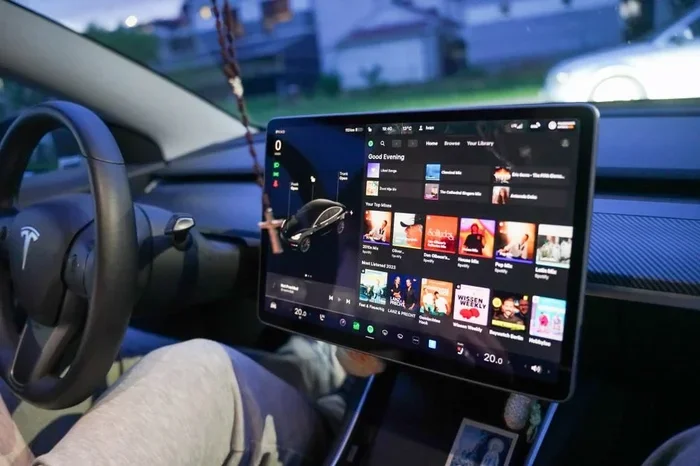
The Tesla app includes built-in navigation that works with your car’s large touchscreen display. You can search for destinations, find Tesla Supercharger stations, and send routes directly to your vehicle.
Here is how to send a destination to your car:
- Open the Tesla app and tap “Navigate.”
- Search for your destination.
- Tap “Send to Car.”
- The route will appear on your car’s display once you start driving.
This feature is incredibly handy. You can plan your trip on your phone during a meeting, and when you get in the car, everything is ready to go.
Sentry Mode and Live Camera Feeds
Sentry Mode is one of the most powerful security features available in any car today. When activated through the Tesla app, your vehicle’s cameras monitor the surrounding area for potential threats.
If the system detects suspicious activity, it records video and sends an alert to your phone. You can also view live camera feeds from the app, giving you a real-time look at what is happening around your vehicle. This is a huge peace of mind feature, especially if you park your car on the street overnight.
Using the Tesla App for Remote Vehicle Control
The Tesla app is designed to give you control over your vehicle from anywhere in the world. Let us look at the most useful remote control features.
Locking and Unlocking Doors
With the Tesla app, you can lock and unlock your car with a single tap. This is perfect for those moments when you realize you forgot to lock your doors. Just open the app, tap the lock icon, and your vehicle secures itself instantly.
You can also share access with family members. The app allows you to create multiple user profiles, so your partner or teenager can control the car from their own phone.
Trunk and Frunk Access
The Tesla app lets you open both the rear trunk and the front trunk (frunk) remotely. This is incredibly useful when your hands are full and you need to load or unload items quickly.
Simply tap the trunk icon in the app, and your Tesla will pop the lid open. It is a small feature that makes a big difference in everyday life.
Flashing Lights and Honking
Need to find your car in a parking garage? Use the Tesla app to flash the lights or honk the horn. Just tap the appropriate icon, and your vehicle will respond. This is a simple but surprisingly helpful feature that many Tesla owners use daily.
Driving Data and Vehicle Health
The Tesla app provides detailed driving data, including:
- Total miles driven
- Energy consumption per mile
- Battery health over time
- Regenerative braking efficiency
You can check this data anytime through the app’s dashboard. It helps you understand your driving habits and optimize your energy usage. If something seems off with your vehicle’s performance, the app gives you early warning signs to visit a service center.
Tesla App Tips and Tricks for Power Users
Once you have mastered the basics, there are several advanced tips that will take your Tesla app experience to the next level.
Customize Your Dashboard
The Tesla app lets you customize what appears on your home screen. You can pin your most-used features for quick access. This includes charging status, navigation shortcuts, and vehicle settings.
To customize your dashboard, go to the app’s settings and look for “Home Screen Layout.” Rearrange the tiles to match your daily routine. This small change can save you a lot of time.
Use the App for Over-the-Air Updates
Tesla regularly releases software updates that add new features and improve performance. The Tesla app notifies you when an update is available. You can review the release notes, schedule the update time, and even monitor the installation progress from your phone.
This is one of the best parts of owning a Tesla. Your car keeps getting better over time, and the app keeps you informed every step of the way.
Integrate with Smart Home Devices
If you have a smart home setup, the Tesla app can integrate with popular platforms like Amazon Alexa and Google Home. You can use voice commands to check your vehicle’s status, start charging, or open the garage.
This integration makes the Tesla app part of a larger smart ecosystem. Your car becomes one connected piece of your daily life, working alongside your lights, thermostat, and security system.
Set Up Dashcam and Spotlight
Tesla vehicles come with built-in dashcam capabilities. Through the Tesla app, you can access recorded footage, adjust camera settings, and use the spotlight feature to illuminate dark areas around your car.
The spotlight is especially useful when you are walking to your car at night. Just activate it through the app, and the headlights turn on, lighting up your path. It is a thoughtful feature that adds both safety and convenience.
Common Mistakes Tesla Owners Make with the App
Even experienced Tesla owners sometimes make mistakes when using the Tesla app. Here are the most common ones and how to avoid them.
Forgetting to Log Out on Shared Devices
If you ever use a friend’s phone or a rental device to access the Tesla app, always log out when you are done. Leaving your account logged in on a shared device can compromise your vehicle’s security.
To log out, go to the app menu, tap your profile, and select “Sign Out.” It is a simple habit that protects your car and your personal data.
Ignoring Software Updates
Some owners delay software updates because they do not want to be without their car for a few minutes. However, updates often include important security patches and performance improvements. Always install them promptly.
Not Using Scheduled Charging
Many Tesla owners charge their cars at peak electricity rates without realizing they could save money. The Tesla app lets you schedule charging during off-peak hours. Not using this feature means leaving money on the table.
Disabling Location Services
The Tesla app needs location services to function properly. If you disable them, features like remote start and location tracking will not work. Always keep location services enabled for the Tesla app in your phone’s settings.
Troubleshooting Common Tesla App Issues
The Tesla app is reliable, but like any software, it can occasionally have issues. Here are the most common problems and their solutions.
App Not Connecting to Your Vehicle
If the Tesla app fails to connect, try these steps:
- Check your internet connection
- Force close the app and reopen it
- Log out and log back in
- Restart your phone
- Check for app updates in the store
Most connection issues resolve with these simple steps. If the problem persists, contact Tesla support through the app’s help section.
Notifications Not Working
If you are not receiving alerts, check your phone’s notification settings. Make sure the Tesla app has permission to send notifications. Also, ensure that “Do Not Disturb” mode is not active during times you want to receive alerts.
Slow App Performance
A slow Tesla app can be frustrating. Try clearing the app cache or reinstalling the app. Also, make sure your phone’s operating system is up to date. Older phone models may experience slower performance with newer app versions.
Phone Key Not Working
If your phone key stops working, go to the car’s settings and re-pair your phone. You can do this from the car’s touchscreen under “Controls” then “Phone Key.” The Tesla app will guide you through the process.
Conclusion
The Tesla app is far more than a simple remote control tool. It is a comprehensive platform that enhances every aspect of owning and driving a Tesla. From remote climate control and smart charging to security features like Sentry Mode and live camera feeds, the app puts incredible power right in your hands.
By following the tips and tricks in this guide, you can master the Tesla app and truly transform your driving experience. Take the time to explore every feature, customize your settings, and make the app work for your daily routine. The more you use it, the more value you will get out of your Tesla.
So go ahead. Open the Tesla app on your phone right now. Start exploring. You will be surprised at just how much your car can do, all controlled from the device in your pocket. The future of driving is connected, and the Tesla app is at the heart of it.
Frequently Asked Questions
Can I use the Tesla app to start my car remotely?
Yes, the Tesla app allows you to start your vehicle remotely. You can pre-condition the cabin, turn on the headlights, and even begin a charging session from your phone. This is one of the most convenient features for daily use.
Is the Tesla app free to download and use?
The Tesla app is completely free to download from the App Store and Google Play Store. There are no subscription fees for any of the app’s features. All functionality is included at no extra cost.
Can I share access to the Tesla app with other people?
Yes, Tesla allows you to create multiple user profiles and share access with family members or friends. Each person can control the vehicle from their own phone, making it easy to share the driving experience.
Does the Tesla app work with all Tesla models?
The Tesla app works with all current Tesla models, including Model S, Model 3, Model X, and Model Y. It also supports older models that are running compatible software versions.
How secure is the Tesla app?
Tesla uses encrypted connections and secure authentication to protect your data. The app requires a login, and you can enable two-factor authentication for an extra layer of security. Your vehicle and personal data stay protected at all times.
Can I monitor my Tesla while it is charging at a Supercharger?
Yes, you can monitor charging progress in real time through the Tesla app. You will receive notifications when charging is complete, and you can check energy levels, charging speed, and estimated time remaining from anywhere.